From Outlook, users can search mail titles and
contents, but it is impossible to search attached file names and contents.
With KonanLink, a free personal unified search
service, users can not only search Outlook mail titles and contents, but the
attached file names and contents at once, as well.
Moreover, KonanLink is also available on iPhone and
Android phone, so users can search Outlook mails and attached files from their
office PC even outside of work, in 1 second.
More info about KonanLink: www.konanlink.com
Showing posts with label search Outlook mail. Show all posts
Jun 26, 2015
With KonanLink, users can search Outlook mails and attachments by title and content
Apr 13, 2015
[Notification] Extended Support of Outlook Mail Search
Previously, KonanLink users could only search
Outlook inbox folders and attachment files, but from now on, users can search
Outlook inbox folder, as well as sent folder and other customized local
folders. Of course, attachment files can be searched within 1 second, as well.
Moreover,
instead of updating index files for Outlook mail search at 1AM everyday,
KonanLink now frequently updates index files so that users may search sent or received
emails immediately.
Mar 26, 2015
Searching files or Outlook mails in the office PC using iPhone or Android phone
Search office PC from your smartphone using
KonanLink
You are having dinner with your family after work, camping with your children, or are on a business trip, and you suddenly receive an urgent request from your boss or customer to find and send a file or Outlook mail. What would you do?
If you have a co-worker still in the office, you could give him your office PC password and ask him to find and send the file from the directory for you. But if none of your co-workers is on the office or if you don't feel comfortable sharing your password with others, you will probably have to go back to the office.
KonanLink helps users to search all of their devices at once using KonanLink app from Windows PC, Mac, iPhone and Android phone. With KonanLink, you can now use your iPhone or Android phone to search and share files or Outlook mails with your boss or customer anytime, anywhere in 10 seconds.
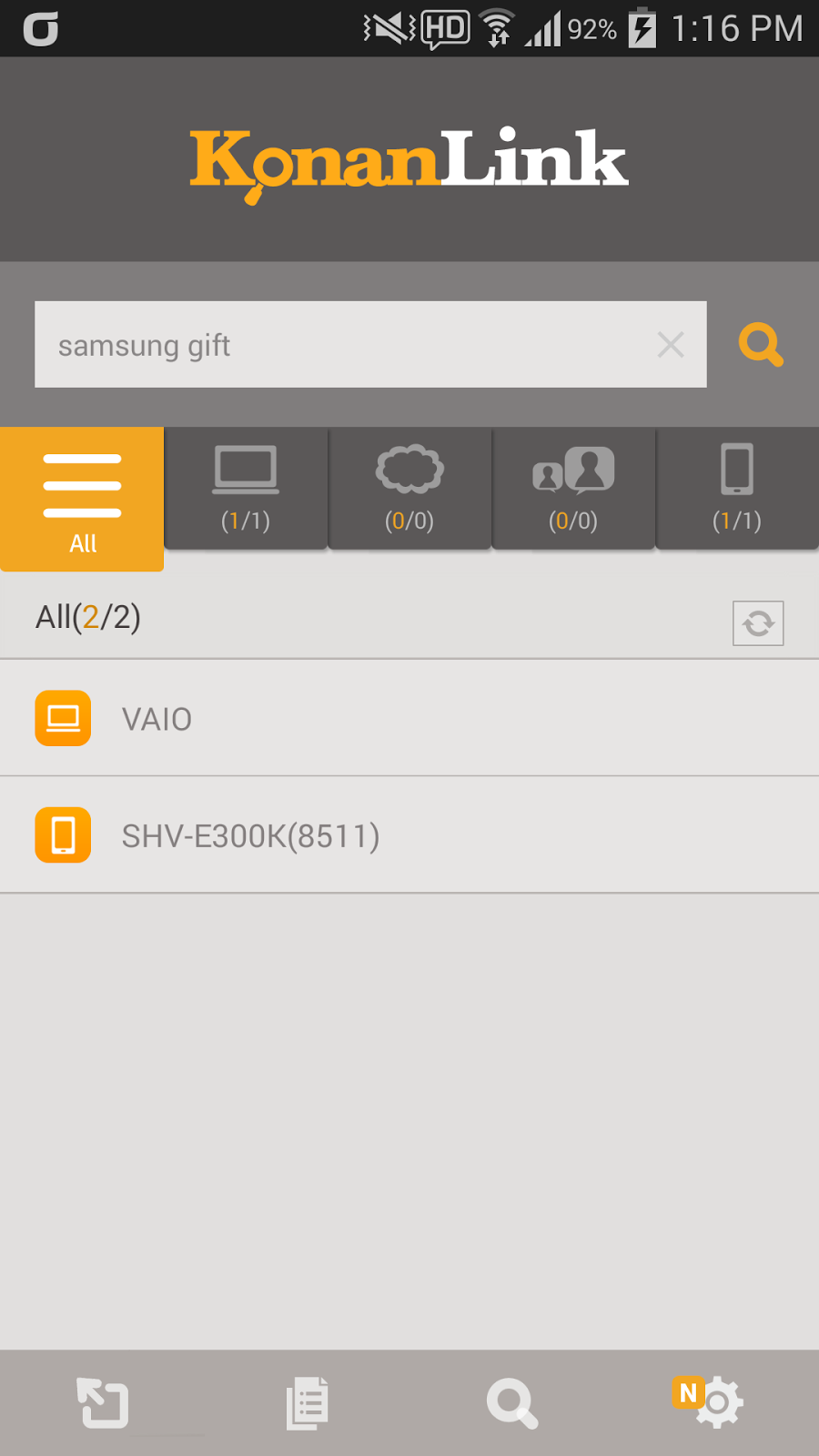
Type in the search keyword in KonanLink app search bar
Run KonanLink app from your smartphone and type in the search keyword in the search bar. For example, if you want to search files related to Samsung Galaxy Gift, type in "samsung gift."

Currently, KonanLink searches searchable devices and shows files or Outlook mails that include "samsung gift." The picture below shows search results of "Samsung gift" from the office PC. To search Cloud, web mail, or Evernote at once, please refer here.
Check files or Outlook mails by clicking search results
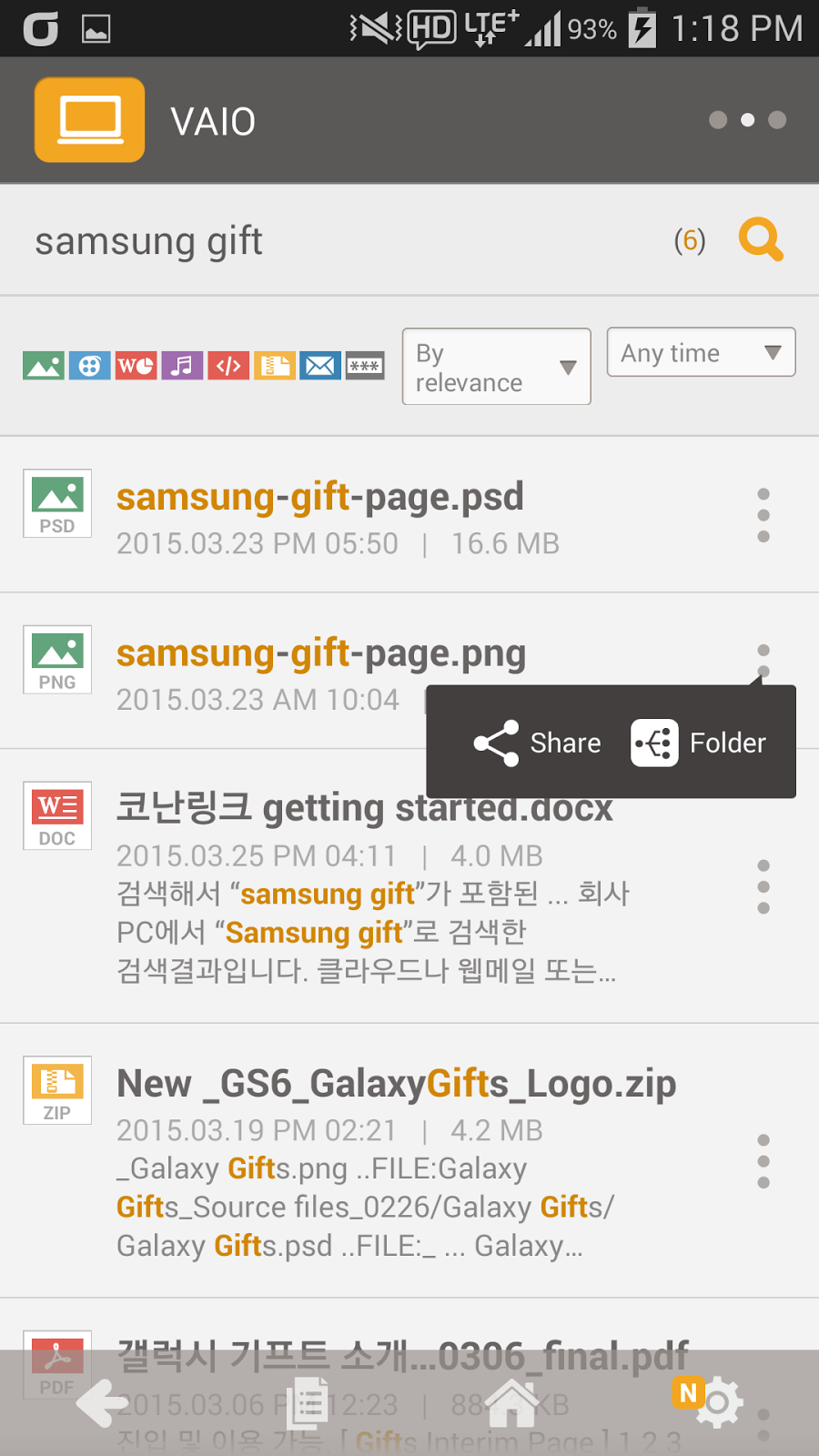
By clicking a search result, you can check the relevant file or Outlook mail. For example, if you click "samsung-gift-page.png," you can see the screen as shown below.

Share the file with others
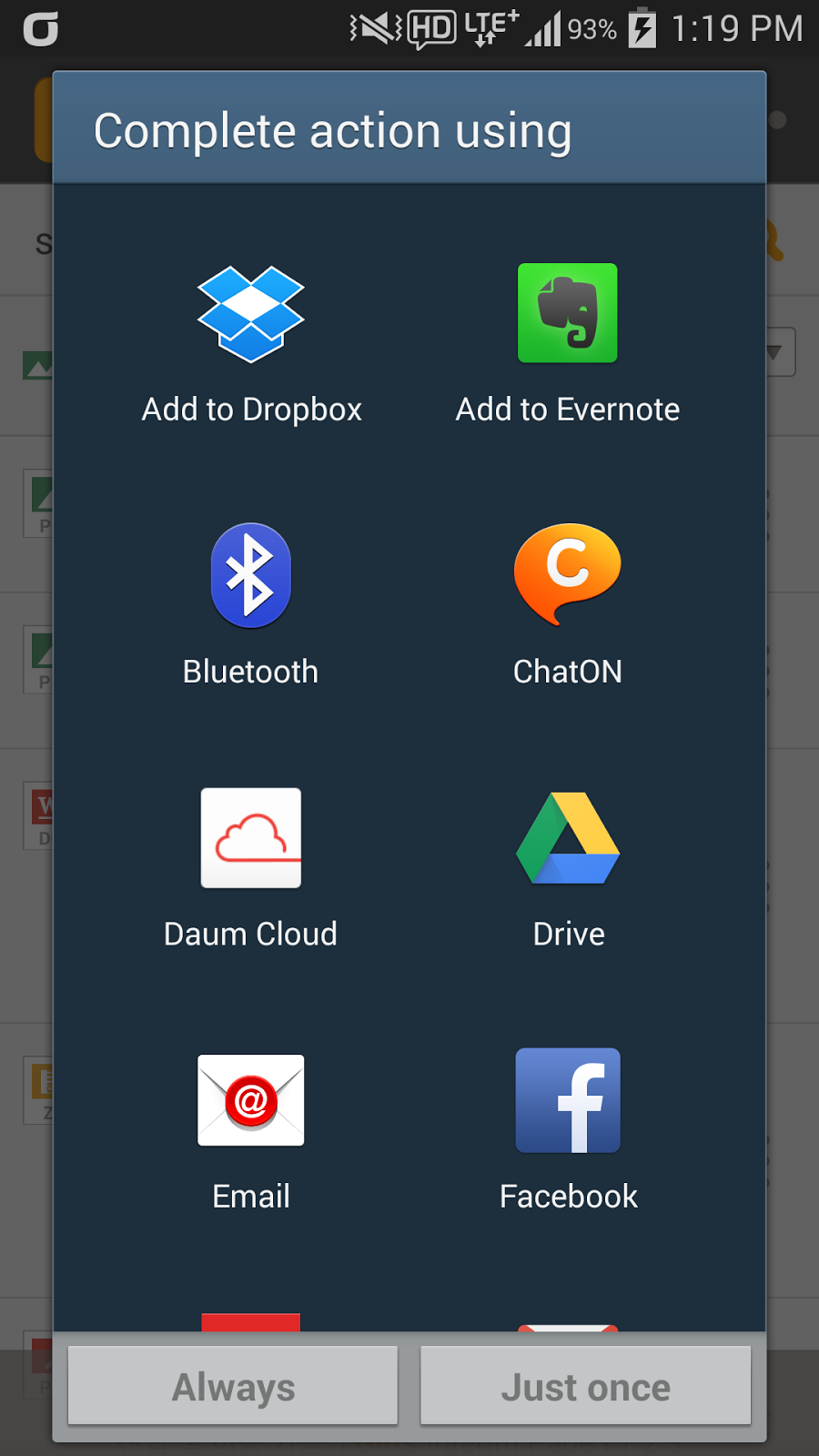
Tap …(More) shown on the right side of the search result, and tap share to send the relevant file or Outlook mail to your boss or customer immediately.


More info about KonanLink: www.konanlink.com
Learn About KonanLink
Installing KonanLink on iPhone or Android phone
Searching files using KonanLink
Searching files or Outlook mails in the office PC using iPhone or Android phone
Search Dropbox, Google Drive, Evernote, or Web mail (Gmail, etc.) using KonanLink
You are having dinner with your family after work, camping with your children, or are on a business trip, and you suddenly receive an urgent request from your boss or customer to find and send a file or Outlook mail. What would you do?
If you have a co-worker still in the office, you could give him your office PC password and ask him to find and send the file from the directory for you. But if none of your co-workers is on the office or if you don't feel comfortable sharing your password with others, you will probably have to go back to the office.
KonanLink helps users to search all of their devices at once using KonanLink app from Windows PC, Mac, iPhone and Android phone. With KonanLink, you can now use your iPhone or Android phone to search and share files or Outlook mails with your boss or customer anytime, anywhere in 10 seconds.
Type in the search keyword in KonanLink app search bar
Run KonanLink app from your smartphone and type in the search keyword in the search bar. For example, if you want to search files related to Samsung Galaxy Gift, type in "samsung gift."

Currently, KonanLink searches searchable devices and shows files or Outlook mails that include "samsung gift." The picture below shows search results of "Samsung gift" from the office PC. To search Cloud, web mail, or Evernote at once, please refer here.
Check files or Outlook mails by clicking search results
By clicking a search result, you can check the relevant file or Outlook mail. For example, if you click "samsung-gift-page.png," you can see the screen as shown below.

Share the file with others
Tap …(More) shown on the right side of the search result, and tap share to send the relevant file or Outlook mail to your boss or customer immediately.


More info about KonanLink: www.konanlink.com
Learn About KonanLink
Searching files using KonanLink
Searching files or Outlook mails in the office PC using iPhone or Android phone
Search Dropbox, Google Drive, Evernote, or Web mail (Gmail, etc.) using KonanLink
Subscribe to:
Posts (Atom)