Showing posts with label Search Mac. Show all posts

Jul 19, 2016

With KonanLink, find any documents in 1 sec from anywhere!

KonanLink can search any documents from the devices and services below:

- PC, Mac
- iPhone, Android phone
- Dropbox, Google Drive, MS OneDrive
- File server
- Outlook, Gmail, Webmail
- Evernote

More info: www.konanlink.com


May 11, 2016

KonanLink: strong search support

KonanLink ......

- Searches files, mails, and attachments from following devices & services: PC/Mac, file server, smartphone, cloud service, Outlook mail, email, and Evernote.

Searches titles and contents.

Supports any file types such as PDF, DOC, PPT, XLS, JPG, and ZIP.


More info & download: www.konanlink.com

Aug 26, 2015

An abstract review of KonanLink published on www.androidheadlines.com

If you want to learn more about KonanLink, read the sponsored user review (this is an abstract version of the review published on www.androidheadlines.com)

KonanLink is a service that allows users to search for and find whatever file they need, wherever they are and through whichever device they're using. Using a Mac or Windows PC as a server of sorts, KonanLink makes it easy searching months' worth of emails, finding that one image you need to give to the designer when your laptop has died. Simply put, KonanLink is like your own private cloud.


Below is a nice video that gives you the sort of idea KonanLink's team were going for.


Getting started with KonanLink is a little bit different than with other Anroid apps, as you need to download the program to your computer first. All the relevant info can be found on their website (http://www.konanlink.com/). Once you've got it downloaded, you need to sign up for an account, which is not only free, but simple with just an email and password required.

I wanted to try looking for a photo of some fancy headphones to show a friend, so I searched for the word 'grain'. And voila!


Here, I can see all of the images that I had on my Mac back home, when clicking on one I got a neat little warning letting me know I was going to download something and therefore use data. This warning would be useful for anyone who is under limited data plan.

KonanLink is a nifty Android app and service that works brilliantly. What it basically does is turn your PC or Mac into a file server of sorts and then allows you to connect to any device registered with your account. It will fill in the gaps that other Cloud services may miss out on. KonanLink retrieves any file older than three months, but a Premium account is also available for those that want to be able to search older files and emails. Overall, I was pretty impressed with it, and I'm sure it will come in handy over time. 

Ratings
Speed (4/5) - I found that KonanLink was fairly quick, opening files is a little slower, but searches are returned just fine.
Theme (4/5) - A little more Material Design would look good, but there's not much to complain about and different file types are easily distinguished from others.
Features (4.5/5) - A great way of filling in the gaps that cloud storage often leaves, KonanLink just works and I am surprised at how easy it is to use and how hassle free everything is.
Overall (4/5) - KonanLink is easy to use, it does exactly what it says it does and it's free to use depending on what you need it for.

Jun 3, 2015

Busy, KonanLink!

Each day is hectic at work.

Shuffling through countless files and mails probably won’t be any help to your busy schedule. Especially, when you are looking for older files or mails, 10~20 minutes pass by before you even know it.

KonanLink is a free personal unified, multi-device search service that searches any file or mail, regardless of how old it is, in 1 second. Use KonanLink to save time and give yourself a quick break.

More info about KonanLink: www.konanlink.com


Mar 26, 2015

Searching files or Outlook mails in the office PC using iPhone or Android phone

Search office PC from your smartphone using KonanLink

You are having dinner with your family after work, camping with your children, or are on a business trip, and you suddenly receive an urgent request from your boss or customer to find and send a file or Outlook mail. What would you do?

If you have a co-worker still in the office, you could give him your office PC password and ask him to find and send the file from the directory for you. But if none of your co-workers is on the office or if you don't feel comfortable sharing your password with others, you will probably have to go back to the office.

KonanLink helps users to search all of their devices at once using KonanLink app from Windows PC, Mac, iPhone and Android phone. With KonanLink, you can now use your iPhone or Android phone to search and share files or Outlook mails with your boss or customer anytime, anywhere in 10 seconds.


Type in the search keyword in KonanLink app search bar

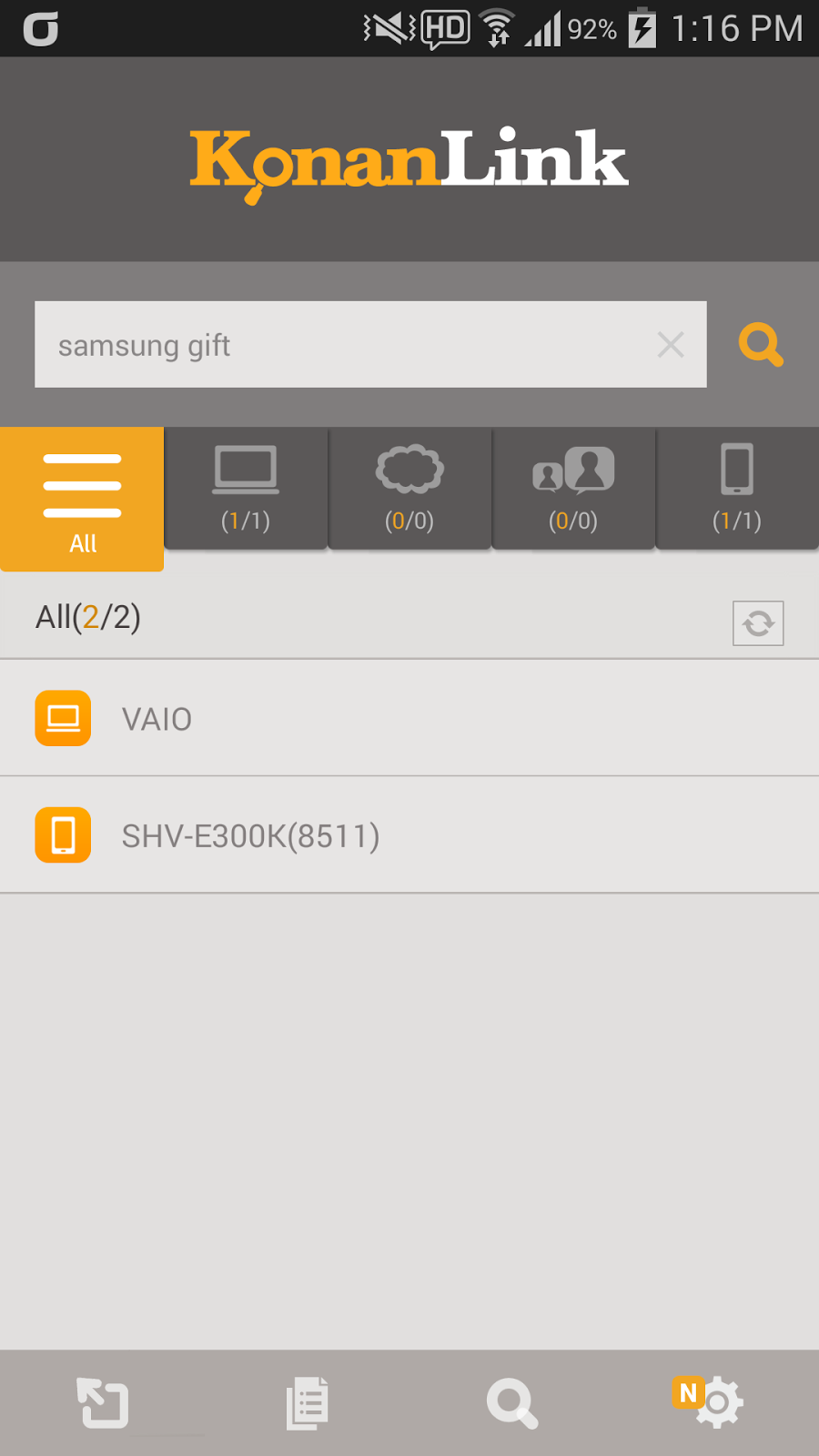
Run KonanLink app from your smartphone and type in the search keyword in the search bar. For example, if you want to search files related to Samsung Galaxy Gift, type in "samsung gift."


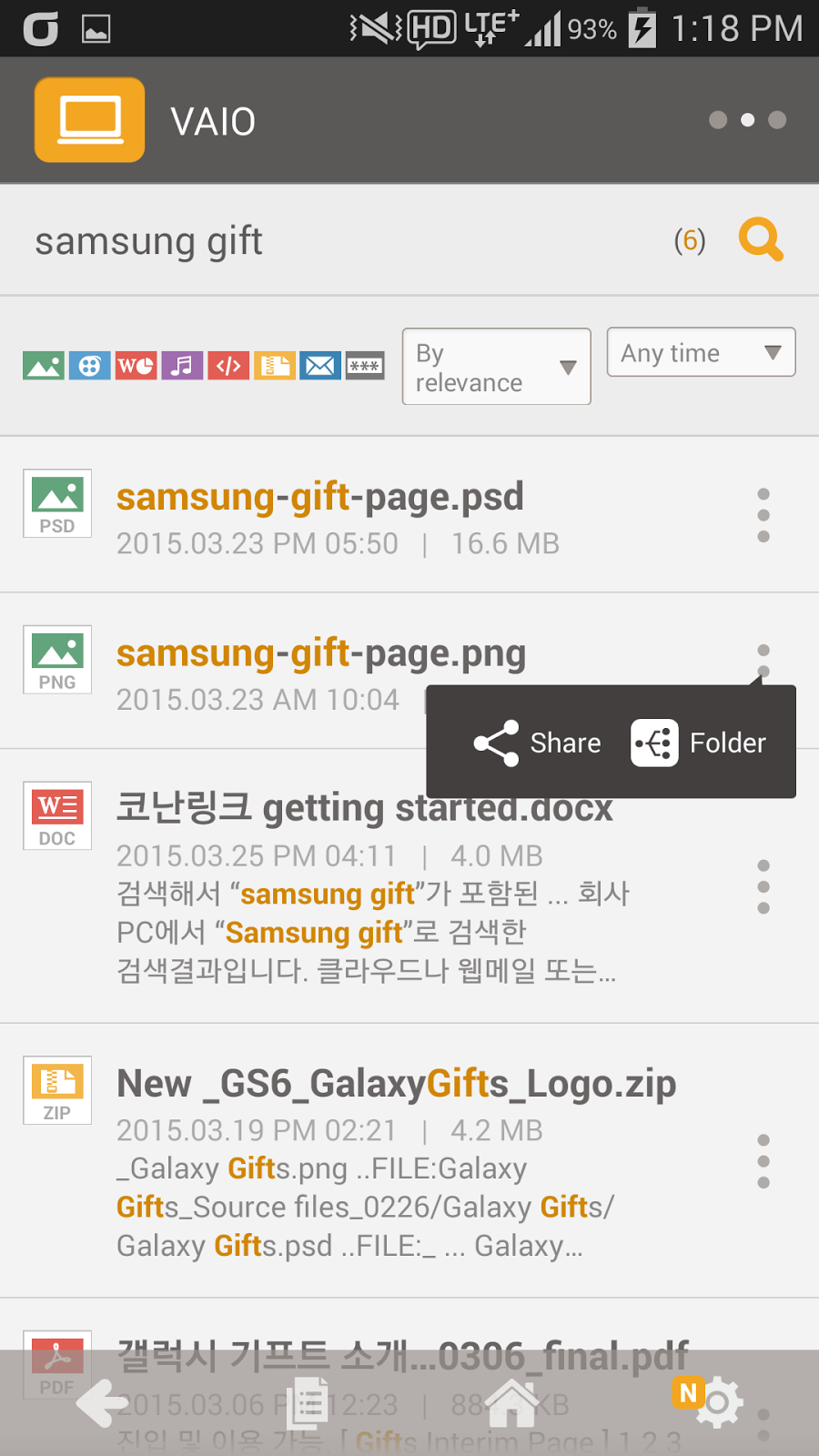
Currently, KonanLink searches searchable devices and shows files or Outlook mails that include "samsung gift." The picture below shows search results of "Samsung gift" from the office PC. To search Cloud, web mail, or Evernote at once, please refer here.


Check files or Outlook mails by clicking search results

By clicking a search result, you can check the relevant file or Outlook mail. For example, if you click "samsung-gift-page.png," you can see the screen as shown below.


Share the file with others

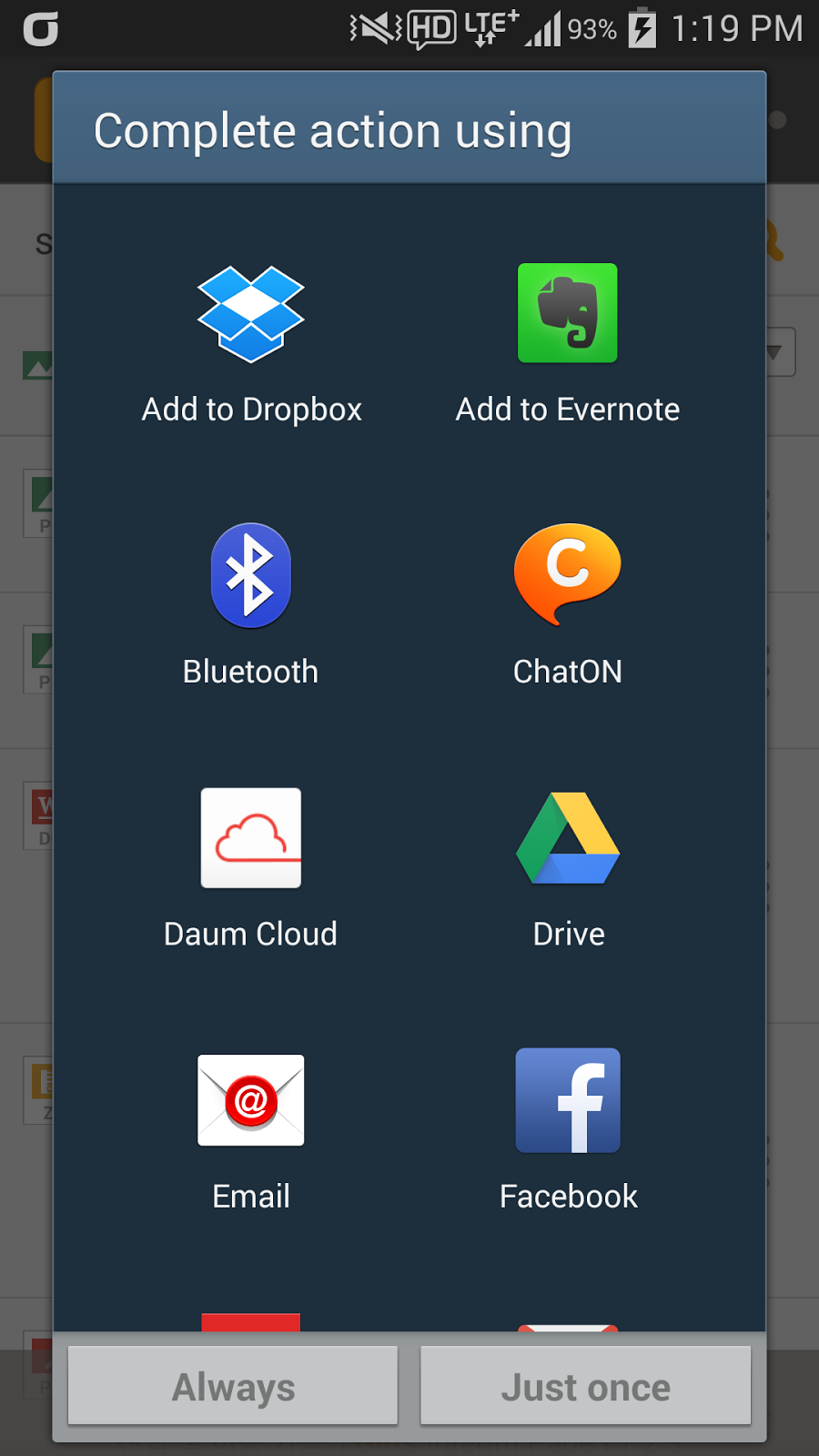
Tap …(More) shown on the right side of the search result, and tap share to send the relevant file or Outlook mail to your boss or customer immediately.


More info about KonanLink: www.konanlink.com

Learn About KonanLink

Installing KonanLink on iPhone or Android phone

Searching files using KonanLink


Searching files or Outlook mails in the office PC using iPhone or Android phone

Search Dropbox, Google Drive, Evernote, or Web mail (Gmail, etc.) using KonanLink

Mar 24, 2015

Searching files using KonanLink

Type in the search keyword in KonanLink search bar.

If you want to search file or Outlook mail from your PC, Mac, iPhone, or Android phone with KonanLink installed, type in the search word included in the file that you wish to search in the search bar. For example, if you want to search files related to Samsung Galaxy Gift, type in "samsung gift."


Currently, KonanLink searches searchable devices and shows files or Outlook mails that include "samsung gift." Searchable devices in the sample picture are PC (computer name VAIO) and Android phone that have KonanLink installed. To search Cloud, web mail, or Evernote at once, please refer here.


Check files or Outlook mails by clicking search results

By clicking a search result, you can check the relevant file or Outlook mail. For example, if you click "samsung-gift-page.png," you can see the screen as shown below.


More info about KonanLink: www.konanlink.com

Learn About KonanLink


Installing KonanLink on iPhone or Android phone

Searching files using KonanLink

Searching files or Outlook mails in the office PC using iPhone or Android phone

Search Dropbox, Google Drive, Evernote, or Web mail (Gmail, etc.) using KonanLink

Mar 18, 2015

Installing KonanLink on iPhone or Android phone

Install KonanLink from Apple Appstore or Google Play Store.

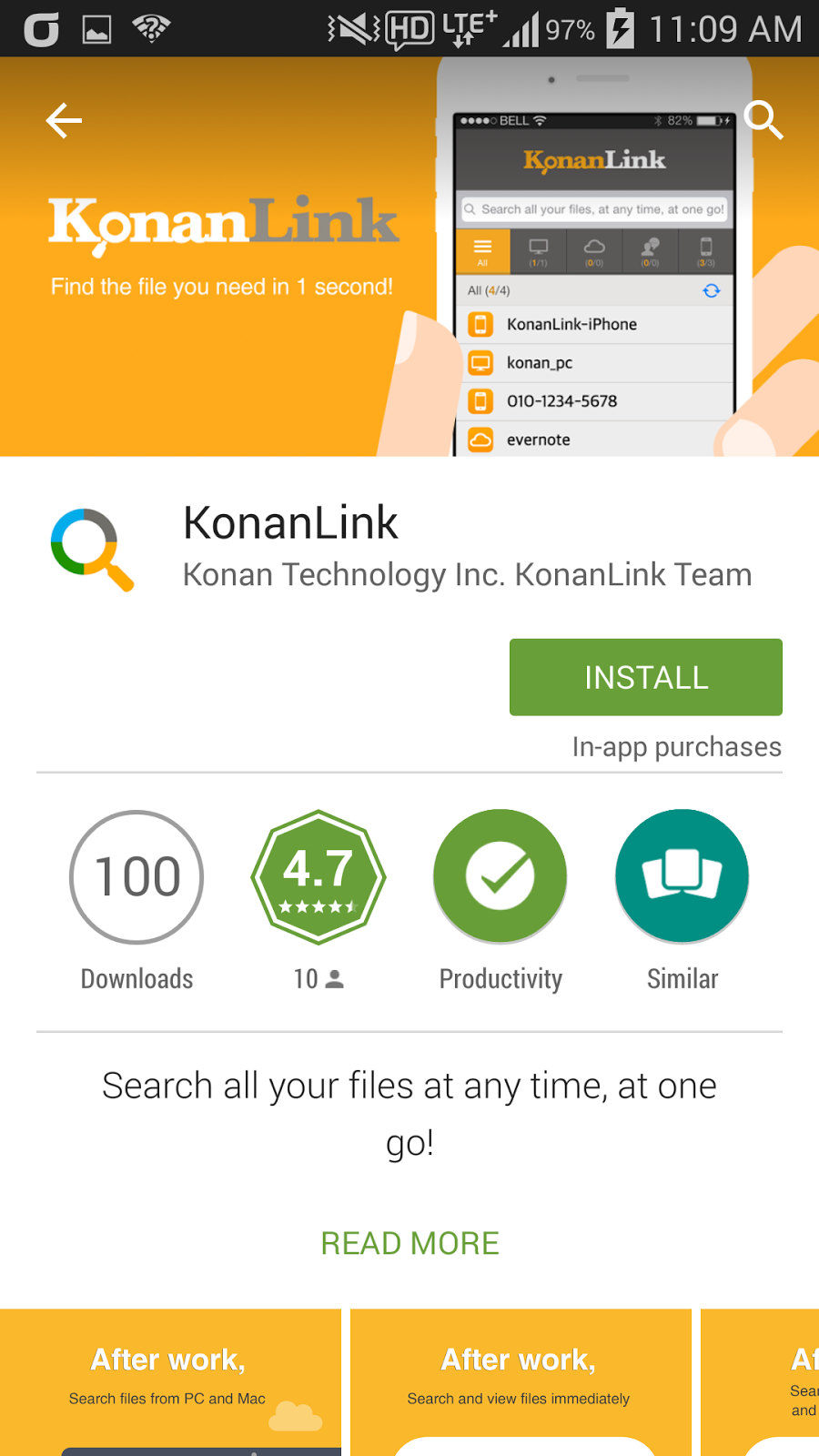
In order to use KonanLink from iPhone or Android phone, search and install KonanLink from Apple Appstore or Google Play Store.


Run KonanLink and sign in using the account created from the PC version.

Now, run KonanLink from iPhone or Android phone and select "Sign In" button. If you did not install KonanLink on PC or Mac, select "Sign Up for KonanLink" button.

Type in the email address and password created from KonanLink PC or Mac version, and select “Sign In.”


Decide and select whether you want to search pictures or files in your iPhone or Android phone.

If you want to search pictures or files in your iPhone or Android phone using KonanLink, select "include in search," and if you do not want to search pictures or files in your iPhone or Android phone, select "exclude from search." In the sample screenshot, "include in search" is selected.


Even if you select "exclude from search," you can still search and share files and Outlook mails in your PC or Mac using iPhone or Android phone when you are out of the office for business trip or vacation.

Now, you can use KonanLink from iPhone or Android phone, as well.

You can search files in your PC/Mac and iPhone/Android phone using your iPhone or Android phone in just 1 second.


More info about KonanLink: www.konanlink.com

Learn About KonanLink

Installing KonanLink on iPhone or Android phone

Searching files using KonanLink

Searching files or Outlook mails in the office PC using iPhone or Android phone

Search Dropbox, Google Drive, Evernote, or Web mail (Gmail, etc.) using KonanLink